The Studies
Process development, guided at the press.
IMPD walks a processor through scientific molding process development right at the press: enter the job once, run the studies you need, and leave with one clear PDF report.
IMPD records data and runs calculations to support engineering decisions. It does not control any machine.
Ten studies
The ten studies
01
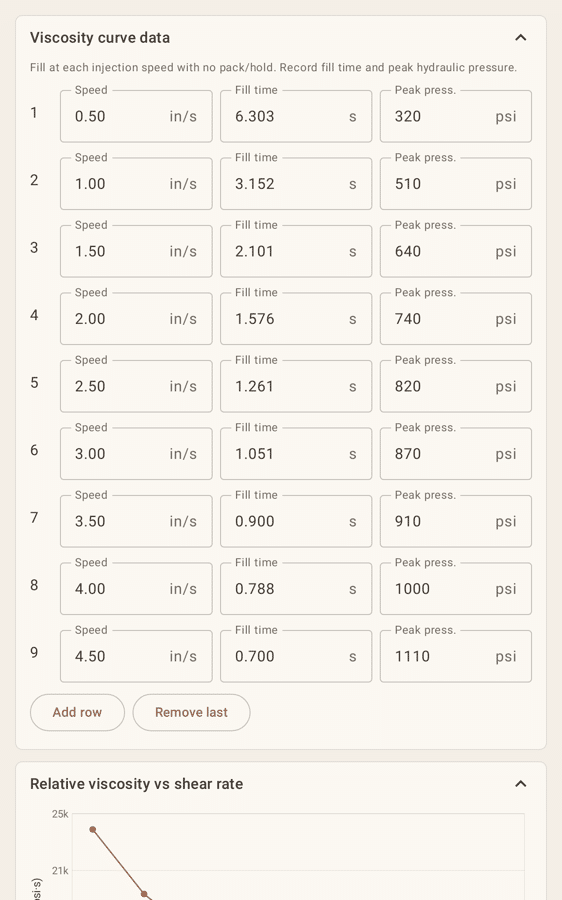
Rheology (viscosity curve)
Finds the injection speed where melt viscosity levels off. IMPD calculates relative viscosity and shear rate at up to 8 speeds, shows the % change between steps, and suggests the flat region (under 10 % change). A safety note reminds you to set a transfer position that allows the fastest selected speed without flashing the mold.
02
Linearity
Checks that the press delivers the injection speed you set. IMPD calculates % deviation at each setpoint and R², and recommends the widest speed range within ±5 %. The same transfer-position and flash warning appears here, since a fast fill with a late transfer can flash and damage the mold.
03
Gate Freeze
Finds when the gate seals so hold time is long enough. IMPD averages part weight at each hold time, finds the plateau (under 0.1 % change by default) and recommends hold time = freeze + 1 s.
04
Check Ring Repeatability
Confirms the check ring holds the shot, shot after shot. IMPD calculates mean, range, σ and %CV of weight and cushion, with PASS/FAIL against a 0.5 % CV limit.
05
Cavity Balance
Shows whether every cavity fills alike. IMPD calculates % imbalance at 50, 75 and 95 % fill, compares each cavity to the average and flags imbalance over 5 % (editable). Optional photos for each fill stage, short shots on the runner or all cavities lined up, can go in the report or stay in the project only.
06
Pressure Drop
Shows where fill pressure is spent along the flow path. IMPD converts hydraulic to plastic pressure at 5 stages, shows the drop per stage and flags a pressure-limited process (over 80 % of max).
07
Cooling Time
Finds the shortest cooling time that keeps parts in spec. IMPD recommends the minimum time that stays in tolerance at every longer time, plus a theoretical estimate from wall thickness and temperatures.
08
Screw Recovery
Picks the gentlest screw speed that still recovers in time. IMPD checks recovery against cooling time minus a margin and recommends the lowest passing RPM and its back pressure.
09
DOE
Maps how mold temp, pack pressure and barrel temp move weight and dimensions. IMPD builds a 4- to 10-run design in random order and calculates main effects, two-way interactions and a process window with a centered setpoint. One tap sets the fastest run order, grouping runs to cut barrel temperature changes, with an optional Admin-enforced soak timer.
10
Pack Pressure
Shows where more pack pressure stops adding part weight. Step pack pressure from low to high and record part weight at each step (from the scale or by hand), plus an optional key dimension and notes such as sink, flash or voids. IMPD charts weight against pressure, marks a plateau as a suggestion only, and adds the study to the report.
Reporting
Your report, your choice
In General Info, the processor checks the studies to perform. Only those studies appear as tabs, and only those go into the Final Report. Each study adds its own results table, chart and recommendation.
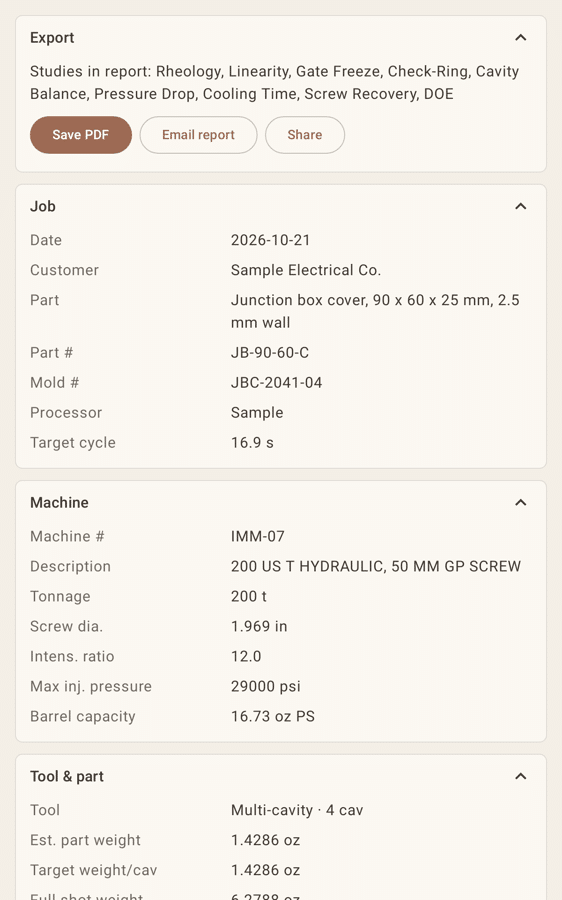
The report is a single PDF in the language selected in the app (six languages). From the tablet you can Save PDF, Email report or Share it. Mold images, machine-screen photos, family part photos and Cavity Balance fill-stage photos can be included. Each photo can go in the report or stay in the project only.
In the app
Admin, users and sign-in
In the app today: an Admin role, user seats and PIN sign-in on a large on-screen number pad (or password). Admin settings come with sensible defaults and short (i) info popups. Still planned: an Admin setting that marks studies as required on every project.
Data
What the report collects
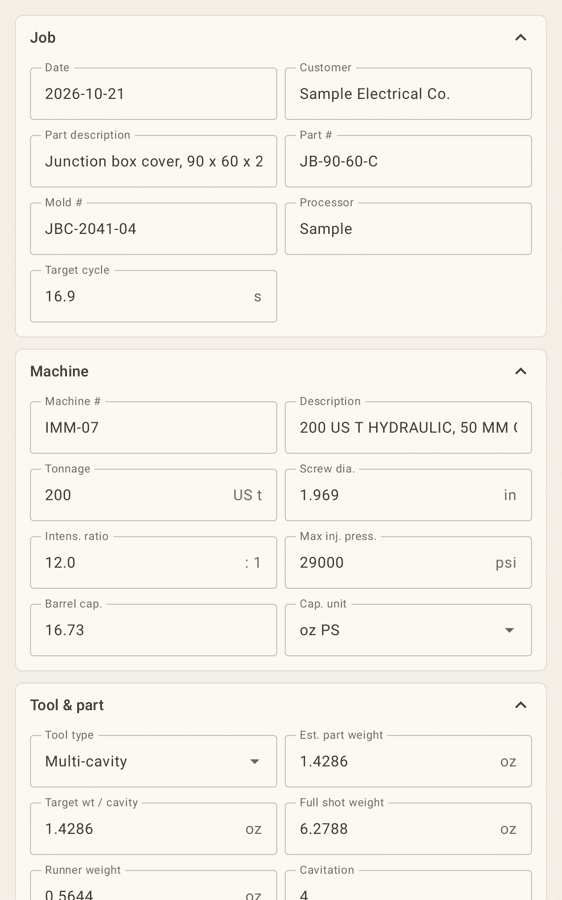
Job
Date, customer, part and part #, mold #, processor, operators, target cycle.
Machine
Machine #, description, tonnage, screw diameter, intensification ratio, max injection pressure, barrel capacity.
Tool & part
Single, multi-cavity or family tool, cavitation, part, shot and runner weights.
Material & setup
Resin and grade, drying and moisture, temperatures, nozzle and sprue, hot-runner zones.
Study data and results
The readings for each selected study, its table, chart and recommended setting, plus a universal-parameters summary.
Photos
Part photo, mold images, machine screens and family part photos.
Built-in databases
Less typing, more processing
- Resin library: built-in resin families with typical specific gravity, melt and mold ranges, drying, max moisture, residence time and vent depths. Pick a resin and IMPD fills in SG and drying. Values are typical datasheet values and can be edited; custom grades can be added.
- Machines: save each press once (screw diameter, stroke, intensification ratio, tonnage, max pressure, shot capacity, max speed). Type or pick the machine # in General Info and those values fill in automatically.
- CSV import: fill the Resin and Machine libraries from a comma-delimited (CSV) file using the downloadable templates. Imports never overwrite existing entries and show a short added/skipped summary, which saves hours of setup typing.
- Weight capture: part weights can be read from an RS-232 scale over a USB-serial adapter straight into the study cell.
The goal: spend less time entering data and more time processing.
Roadmap
Roadmap
Planned, not yet available. Timelines are targets and may change.
In development
Machine values with one click
Read actual setpoints and values from the press controller, read-only. Machine Connect (In development. It will launch as a beta on every plan. The final release will be included only with Pro and Medical licenses.): OPC UA (Euromap 77) as the primary protocol, with Modbus TCP as a secondary option on supported machines. IMPD would still never control the machine.
Planned
Wireless temperatures
Capture melt and mold temperatures from Bluetooth probes.
Planned
FDA 21 CFR Part 11
A medical edition with user IDs, audit trail, electronic signatures and IQ/OQ/PQ sample collection, targeted for mid-to-late 2027.
Android tablets
Coming soon on Google Play
Enter the job once, run the studies you need, and leave with one clean PDF report.